Building the Future: A Developer's Guide to Agentic AI Workflows in Ruby
Posted at 14-March-2026 / Written by Rohit Bhatt
30-sec summary
We are crossing the threshold into "System 2" AI: agentic workflows. For Ruby and Rails developers, this means moving from stateless chat to orchestrating autonomous agents that plan, reason, and execute. This guide covers tools vs skills, MCP, multi-agent pipelines, and production infrastructure.
1. Introduction
If you've been writing code over the last year, you've likely used AI as an advanced autocomplete. You hit Tab, and a block of code appears. While helpful, this is fundamentally "System 1" thinking—rapid, reactive pattern matching.
We are now crossing the threshold into "System 2" AI: agentic workflows. Instead of relying on a stateless chat window, we are embedding foundation models into autonomous, distributed software systems capable of planning, reasoning, and executing complex tasks over time. For Ruby and Rails developers, this is a massive paradigm shift. We are moving from writing deterministic CI/CD scripts to orchestrating non-deterministic AI agents that can read our logs, navigate our file systems, and issue pull requests.
2. What Agentic Development Means
To build these systems, we need to clarify our terminology, as "agent" is heavily overused.
- 1.Simple AI Prompting: This is stateless and reactive. You send a string of text with your code, and the LLM returns a string of text. It has no memory and cannot impact the outside world.
- 2.Tool-Using Agents: This is where agency begins. An agent is given a specific prompt, a goal, and access to "tools" (Ruby methods that execute external actions, like querying a database or running a shell command). The agent determines when and how to use those tools based on its reasoning loop.
- 3.Multi-Agent Workflows: A single agent gets confused if given too many tools or too broad a scope. Multi-agent systems solve this by creating specialized sub-agents (e.g., one for writing code, one for running tests) that collaborate, critique each other, and hand off state.
3. Using Agents for Daily Development Tasks
Not every problem needs an agent. When a single prompt or a small, fixed chain suffices, prefer that—you'll save cost and avoid unnecessary failure modes. Use agentic workflows when the task has clear sub-tasks that benefit from tools or multiple reasoning steps. As a rule of thumb: use a single tool-using agent for one clear task with few tools; multi-agent when you need distinct roles and handoffs; and a full deterministic pipeline with agents at decision points for production (see Section 7).
As developers, we can leverage agentic workflows to automate the most tedious parts of our day. Instead of manually digging through a massive Rails monolith, an agent with access to your file system can dynamically search for usages of a deprecated method and rewrite them.
Real-world developer tasks for agents include:
- 1.Understanding Large Codebases: Agents can map out how a specific Rails controller interacts with a constellation of Service Objects.
- 2.Debugging Production Issues: An agent can read a Sentry stack trace, fetch the corresponding commit from Git, and propose a hotfix.
- 3.Generating RSpec Tests: Agents can analyze complex model validations and generate extensive test coverage, accounting for edge cases.
- 4.Refactoring Legacy Services: You can task an agent with splitting a 1,000-line User model into distinct concerns.
4. Sub-Agent Workflows for Development
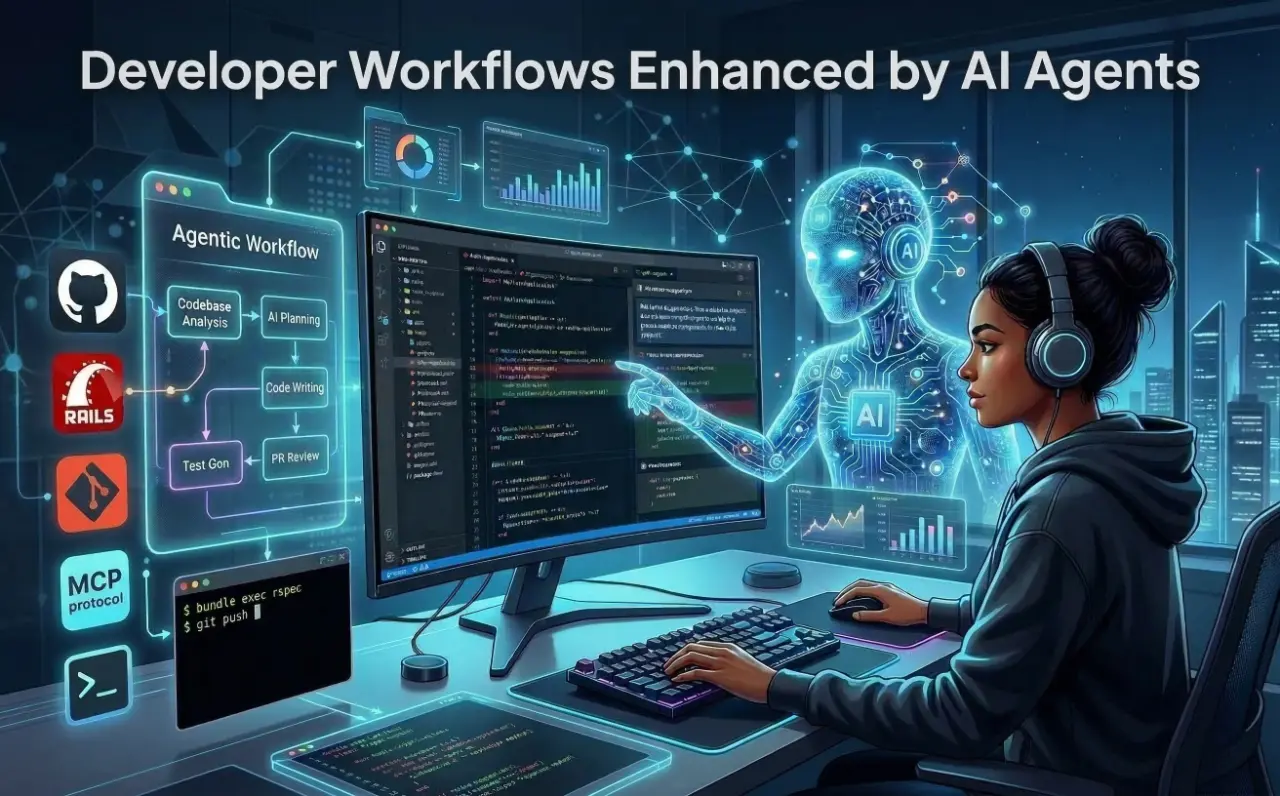
To make agents reliable, we use the "divide and conquer" multi-agent pattern. If you want an AI to write a feature, you don't use one massive prompt. You build a pipeline of specialized agents:
- 1.The Researcher Agent: Researches the codebase to identify which files need to be touched for the current scope of work.
- 2.The Planner Agent: Receives the Task/Bug and outlines the architectural changes needed.
- 3.The Test Generator Agent: Uses the plan to write tests first (TDD). Generates RSpec files that define the expected behavior before any implementation.
- 4.The Code Writer Agent: Receives the plan and the tests, then writes the actual Rails models and controllers to make the tests pass.
- 5.The Code Review Agent: Executes the tests. If the tests fail, it feeds the RSpec failure output back to the Code Writer Agent to try again (this is the Reflection loop).
This pipeline is an instance of the Planner-Executor pattern: the Researcher and Planner agents form the planning layer; the Test Generator, Code Writer, and Code Review agents form the execution layer (with a reflection loop when tests fail). While frameworks like LangGraph (graph-based state machines), CrewAI (role-based workplaces), and AutoGen (conversational group chats) dominate the Python ecosystem, the Ruby community has powerful equivalents. You can implement this pipeline using langchainrb chains and tools, or Active Agent controller-style agents and background jobs—both allow you to build these orchestrated pipelines natively within your Rails apps.
5. Tools vs Skills
A frequent architectural mistake is conflating "tools" with "skills".
A tool is a raw, stateless mechanical capability—like a Ruby method that executes a raw SQL query or triggers a shell command. Exposing raw tools to an LLM is dangerous and can lead to unintended or unsafe actions.
A skill is a higher-order cognitive wrapper. It encapsulates the raw tool, dependency injection, and a highly specific system prompt that restricts how the tool should be used.
Here is how you define a raw tool and wrap it into a cognitive skill in Ruby (using the ruby-openai gem):
1# gem 'ruby-openai'
2require 'openai'
3
4class GitTool
5  def current_diff
6    `git diff main`
7  end
8end
9
10class CodeReviewSkill
11  def initialize
12    @git_tool = GitTool.new
13
14    @system_prompt = <<~PROMPT
15      You are a strict Senior Ruby Engineer reviewing a pull request.
16
17      Review the provided git diff and ONLY report:
18      - Security vulnerabilities
19      - Potential N+1 queries
20
21      Do NOT comment on formatting, style, or naming.
22    PROMPT
23  end
24
25  def execute_review
26    diff_content = @git_tool.current_diff
27
28    client = OpenAI::Client.new(
29      access_token: ENV["OPENAI_API_KEY"]
30    )
31
32    response = client.chat(
33      parameters: {
34        model: "gpt-4o",
35        messages: [
36          { role: "system", content: @system_prompt },
37          { role: "user", content: diff_content }
38        ]
39      }
40    )
41
42    response.dig("choices", 0, "message", "content")
43  end
44end
6. Using MCP with Developer Tools
Historically, if you wanted your agent to read a local file, query a PostgreSQL database, and fetch a Slack message, you had to write custom API wrappers for every single service. This created an M×N integration bottleneck (many models × many data sources).
Anthropic solved this with the Model Context Protocol (MCP). MCP acts as the "Universal Plug" for AI. It separates the reasoning of the AI (the Host) from the data source (the Server) using a standardized JSON-RPC architecture.
MCP exposes three core primitives:
- 1.Resources: Context-on-demand (e.g., reading a local log file).
- 2.Prompts: Reusable templates.
- 3.Tools: Executable actions (e.g., executing a Git commit).
Besides fast-mcp, the official MCP Ruby SDK (maintained by Anthropic and Shopify) is an alternative for building MCP servers in Ruby. Using the fast-mcp gem, we can expose a custom MCP server that SSHs into a host and fetches lines from staging.log (optionally filtered by a keyword) for any MCP-compliant AI. The AI invokes the tool; your MCP server runs the SSH command and returns the log text:
1require 'fast_mcp'
2require 'net/ssh'
3require 'shellwords'
4
5# Add gem 'net-ssh' to your Gemfile
6server = FastMcp::Server.new(name: 'rails-log-server', version: '1.0.0')
7
8# Custom MCP Tool: SSH into a server and fetch lines from staging.log, optionally filtered by keyword
9class FetchStagingLogsTool < FastMcp::Tool
10  description "SSHs into a server and fetches lines from a staging log file. Optionally filters by a keyword (e.g. error, request id). Use for debugging staging issues."
11
12  arguments do
13    required(:host).filled(:string).description("SSH host (e.g. staging.myapp.com)")
14    required(:log_path).filled(:string).description("Path on the server to the log file (e.g. /var/log/staging.log)")
15    optional(:keyword).filled(:string).description("Only return lines containing this string (e.g. error, 500, or a request ID)")
16    optional(:lines).filled(:integer).default(100).description("Max number of lines to return from the end (default 100)")
17  end
18
19  def call(host:, log_path:, keyword: nil, lines: 100)
20    key_path = ENV.fetch('SSH_KEY_PATH', File.expand_path('~/.ssh/id_rsa'))
21    user = ENV.fetch('SSH_USER', 'deploy')
22    cmd = if keyword.to_s.strip.empty?
23      "tail -n #{lines.to_i} #{Shellwords.escape(log_path)}"
24    else
25      "grep -F #{Shellwords.escape(keyword)} #{Shellwords.escape(log_path)} | tail -n #{lines.to_i}"
26    end
27    output = nil
28    Net::SSH.start(host, user, keys: [key_path], keys_only: true, non_interactive: true) do |ssh|
29      output = ssh.exec!(cmd)
30    end
31    output.to_s
32  end
33end
34
35server.register_tool(FetchStagingLogsTool)
36# Connect via STDIO; the AI can ask e.g. "fetch staging logs for keyword 'TimeoutError'" and get filtered output.
7. Real Agent Workflows Developers Can Build
The AI never has direct access to your machine or repo—it only sees data returned by tools it invokes (MCP, APIs) or context you pass in. In production, the most effective pattern is a deterministic multi-step workflow with agents at specific decision points: the flow (sequence, retries, state) is fixed in code, and LLMs handle only where judgment is needed. Start with human-in-the-loop on every output, then reduce oversight as the system proves itself. Below are workflow patterns you can implement in Ruby using the building blocks from earlier sections (tools, skills, MCP, pipelines).
Multi-Agent Workflow 1: Customer Support Pipeline
Incoming ticket flows through a fixed pipeline: a triage agent classifies urgency and type; a retrieval step uses tools (knowledge base, account history, CRM) to fetch context—your services run the queries and return the data. A composer agent drafts the response; a validator agent checks policy, tone, and compliance. Every output goes to human review before send (or auto-send once trust is earned). Used in production for thousands of tickets per month with 40–60% of research time recovered and a clear path to dialing down human review.
Multi-Agent Workflow 2: Sales and Lead Pipeline
New lead enters a deterministic flow: an identifier agent qualifies it; a researcher agent enriches it via tools (APIs, CRM)—tools return the data, the agent never touches your systems directly. A composer agent drafts personalized outreach; a validator runs quality and hallucination checks (often multiple layers: LLM-as-judge, source verification, API scoring). On pass, the system sends or schedules follow-up. This pattern (e.g. five agents: Identifier, Researcher, Composer, Validator, Orchestrator) delivers measurable gains in turnaround time, open rates, and conversion when the workflow engine handles sequencing and state and agents handle only the unpredictable parts.
Multi-Agent Workflow 3: Code Review and PR Pipeline
On pull request or diff, tools supply the patch, test results, and lint output. Specialist agents (e.g. security, performance, test coverage, documentation) each evaluate their dimension in parallel, or a debate-style pair (e.g. one for edge cases, one for architecture) reviews and reconciles. Results are aggregated; a human approves or requests changes before merge. Optional: sandboxed execution, kill switches, and policy checks. The agent only sees what the tools return—no direct repo or CI access.
Sequential Tool Chain: Debugging a Production Error
A single agent orchestrates a sequence of tool calls. It receives an alert and invokes an MCP tool (or API) that fetches the last N lines of the production log—your server or log aggregator runs the query and returns the text. It then calls a GitHub MCP tool to fetch the last commit touching the faulty file; the tool runs in your environment and returns the diff. The agent synthesizes a Root Cause Analysis from these tool responses only; it never reaches into your systems directly.
Commit Gate: Run on Every Commit, Block on Failure
A pre-commit hook or CI step runs on every commit. Tools provide the diff (e.g. MCP tool that runs git diff), test results, and optionally the ticket or PR description. An agent evaluates policy, security red flags, or alignment with acceptance criteria and returns block or allow. The hook blocks the commit when the result is block. The agent never runs git or tests—it only consumes tool output and decides.
Auto-Generate Postman Collection with Descriptions
On API change or on demand, a tool or MCP resource supplies the API surface (OpenAPI spec or route list) from your environment. The agent generates a Postman collection JSON with meaningful descriptions per endpoint. A separate tool or script persists the file or uploads to Postman. The agent only receives the spec and returns the artifact; it does not access the repo or Postman API directly.
8. Production Infrastructure for Agents
Deploying agents into production isn't like deploying a standard web app. Because they are non-deterministic, they require serious defense-in-depth. Budget for more than token costs: prompt maintenance, retry storms, and observability add operational debt—Gartner notes that a large share of agentic projects fail to reach production due to this overhead, so guardrails and cost awareness are essential.
- 1.Sentinel Agents: Before a user's prompt ever reaches your expensive, tool-calling agent, it should pass through a "Sentinel" agent. This is a fast, cheap model (like Llama-3-8B) whose only job is to evaluate the input for prompt injection. If the risk score is too high, it blocks the request instantly.
- 2.Circuit Breakers: Agents are prone to "retry storms." If a downstream API fails, an unsupervised agent might retry the call 100 times in a second, causing a self-inflicted DDoS attack. Always wrap your tools in a Circuit Breaker pattern. If the tool fails 5 times, the circuit "opens" and forces the agent to fail fast or execute a fallback strategy. Prefer repair agents that fix a specific failure (e.g. re-run a failed step with adjusted input) over blanket retries that re-run the entire workflow.
- 3.Rate Limiting: Apply rate limits per agent or per tool to prevent runaway usage and cost. Combined with circuit breakers, this keeps failures and spend under control.
- 4.Schema Validation: Never trust the raw string output of an LLM. Use strict structural validation (like Ruby's Dry-Schema) at the boundary layer before passing data to your database.
- 5.Data Minimization: Implement automated redaction to strip PII (Personal Identifiable Information) before it ever hits the LLM's context window.
- 6.Idempotency and Replayability: Design tool calls to be idempotent where possible, and log events so runs can be replayed for debugging. This makes production failures reproducible and easier to fix.
- 7.Human-in-the-Loop (HITL): Require explicit human approval for high-risk actions (e.g. destructive database migrations, deploys). Start with HITL on every agent output and relax oversight only as the system proves itself.
- 8.Security: Sandboxing and Data Scoping: Where agents execute code or shell commands, use sandboxing. Limit what tools return—only minimal, scoped data—to reduce data exfiltration risk. The agent should never have direct access to systems; tools run in your environment and return only what's needed.
- 9.Testing Non-Deterministic Agents: Mock LLM responses in tests, use snapshot testing for execution trajectories, and run evaluation harnesses for key user journeys. Where the stack allows, use deterministic seeds to make runs reproducible.
9. Advanced Agent Memory
While Vector RAG is great for fuzzy semantic searches, the industry is increasingly moving toward Microsoft Research's GraphRAG for agentic systems. GraphRAG maps knowledge explicitly via nodes and edges, allowing agents to navigate complex, multi-hop relationships (e.g., "What sequence of events led to this specific outage?") with far greater accuracy.
- 1.Short-Term (Working) Memory: Managed via Redis or fast relational tables (like PostgreSQL). This tracks the current conversational state and recent tool calls.
- 2.Long-Term (Episodic/Factual) Memory: Handled by Vector databases (like pgvector). This stores massive amounts of unstructured knowledge. You can natively bind your Rails models to vector stores using gems like langchainrb.
- 3.Procedural Memory: If an agent figures out a complex workaround to a bug, it caches the exact sequence of steps that worked so it doesn't have to waste expensive reasoning tokens figuring it out again next time.
10. Observability and Debugging
When a multi-agent system hallucinates an action, traditional logs won't help you. You need to know why the agent made a decision.
The industry standard is OpenTelemetry (OTEL). By instrumenting your agents, you generate a visual "trajectory" of the execution tree. A trace will show you the exact user prompt, the context fetched from the vector database, the LLM's internal reasoning (Chain of Thought), and the exact payload sent to the tool. Platforms like LangSmith, Arize Phoenix, and Portkey ingest these OTEL traces, allowing you to pinpoint exactly where the hallucination occurred.
Always implement Human-in-the-Loop (HITL) breakpoints for high-risk actions. If an agent wants to execute a destructive database migration, the workflow should pause and request asynchronous human approval before proceeding.
11. Conclusion
The transition to agentic AI is transforming the role of the developer. We are moving from writing every line of imperative logic to architecting resilient, observable systems where AI workers handle the implementation details. By utilizing patterns like Planner-Executor, standardizing our toolsets with the Model Context Protocol, and enforcing strict orchestration guardrails, we can build robust, autonomous workflows right inside our existing Ruby applications. Agentic AI is no longer a prototype; it is the new baseline for enterprise software engineering.