AI Is Moving from Prompts to Agents — How Developers Can Use an Agent-First Approach Like a Pro
Posted at 9-January-2026 / Written by Rohit Bhatt
30-sec summary
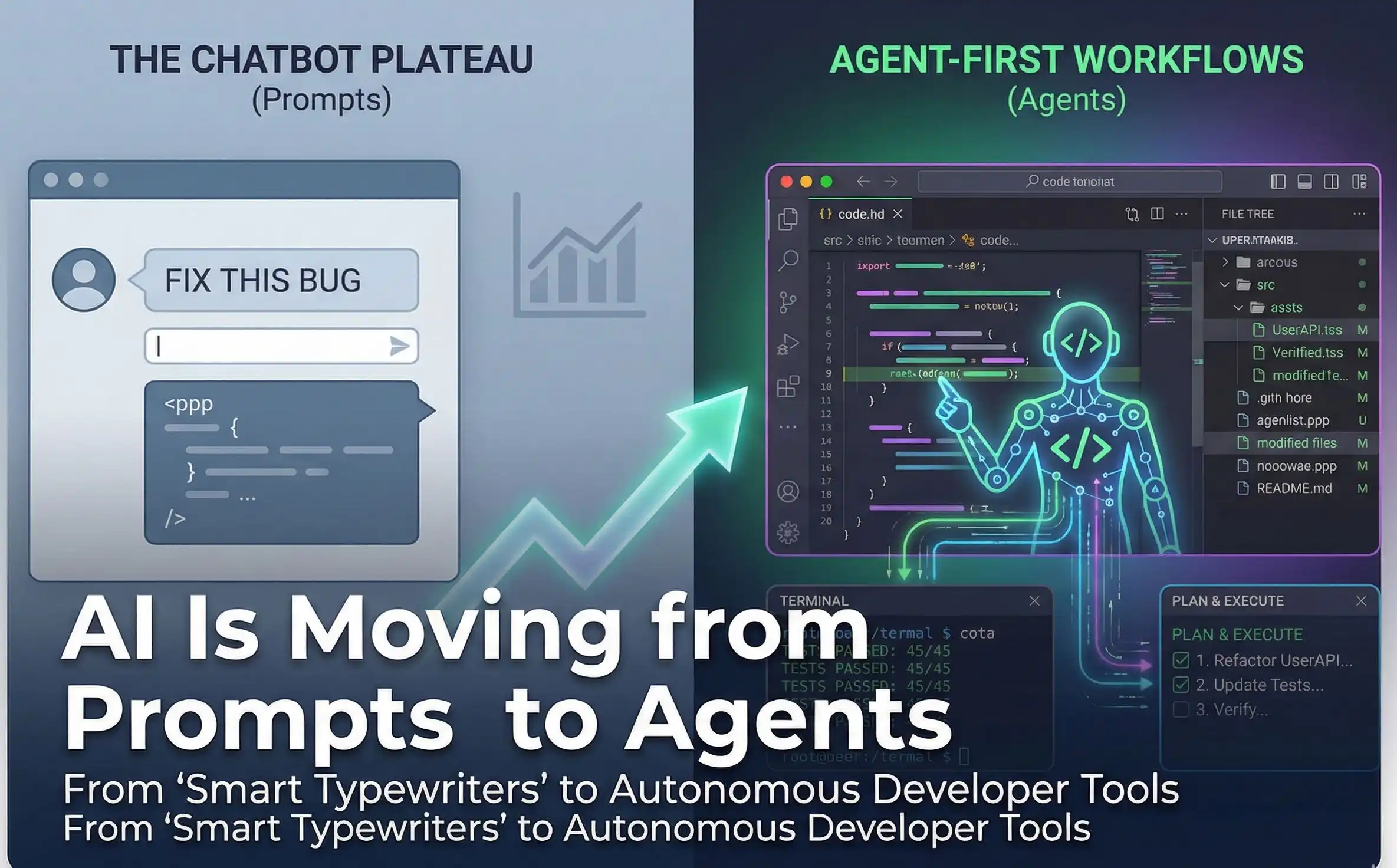
We need to talk about the "Chatbot Plateau." The thrill of "AI coding" has worn off, replaced by the tedious reality of being a copy-paste middleman. This is where Agent-First AI enters the chat. The industry is moving away from "smart typewriters" (autocomplete) toward "digital interns" (agents). These tools don’t just predict text; they have access to your terminal, your file system, and a loop that lets them run commands, see errors, and fix their own mistakes.
1. The Reality Check: Why Prompts Are Failing You
Prompt-based workflows (like the standard ChatGPT window or basic Copilot) hit a wall when complexity scales.
- 1.The Context Wall: You can’t paste a 50-file migration plan into a chat box.
- 2.The "Lazy Dev" Problem: Models love to reply with //... rest of code remains the same.
- 3.The Verify Loop: You are the runtime environment. You have to compile the code to see if it works.
Agent-first IDEs flip this. They run the compiler. They grep the codebase. They verify their own work. But they are dangerous if you treat them like magic wands. They are more like junior engineers: fast, tireless, and prone to confident hallucinations.
2. Agent-First Features: A Step-by-Step Guide
Don’t just "turn on" agent mode and hope for the best. Here is how to wield these capabilities.
Multi-File Refactoring
What it does: Instead of asking for code and manually applying it to five different files, you give the agent a high-level goal ("Rename the User interface to Customer and update all service adapters"). The agent hunts down references, applies edits, and saves files.
When to use it: API migrations, renaming variables across a monolith, or updating dependency versions.
How to use it:
- 1.Define the Blast Radius: Don’t just say "refactor." Tell the agent: "Search for usages in
src/servicesonly. Do not touchsrc/legacy." - 2.Request a Plan: Ask: "Create a checklist of files you will modify and why. Do not edit yet."
- 3.Audit the Plan: Look for "silent hallucinations"—agents love to invent imports that sound plausible but don't exist.
- 4.Execute & Diff: Let the agent run. In tools like Cursor, use the "Composer" view to scan the diffs in one scrollable window before hitting "Accept All."
Autonomous Test Repair
What it does: The agent runs your test suite, reads the failure output, edits the code, runs the test again, and repeats until green.
When to use it: Fixing flaky tests, updating tests after a refactor, or purely Test-Driven Development (TDD).
How to use it:
- 1.The "Red" State: Write a failing test case yourself (or have an "Architect" agent write it). This is your source of truth.
- 2.The Loop: Instruct the agent: "Run the tests in
tests/payment.spec.ts. Modifysrc/payment.tsuntil they pass. Do not remove the test cases." - 3.The Watchdog: Monitor the terminal. If the agent gets stuck in a loop (Fail -> Fix A -> Fail -> Fix B -> Fail -> Fix A), kill it immediately. It will burn your API credits and get nowhere.
3. Tool Walkthroughs: Which One Does What?
The market has split into "Integrated Forks" (custom IDEs) and "Composable Tools" (CLIs/Extensions).
Cursor (The Flow Master)
- 1.What it is: A fork of VS Code. It feels native, fast, and polished.
- 2.The Killer Feature: Composer (Agent Mode). It opens a pane where you can edit multiple files simultaneously. It also has "Shadow Workspace" tech that predicts your next edit, not just your next word.
- 3.Workflow: Use this for "Vibe Coding"—building features fast from scratch. It’s excellent at maintaining flow state.
- 4.Watch out for: It can be overly confident. It will sometimes apply a change that looks right but breaks a downstream dependency it didn't "see" in its context window.
Windsurf (The Deep Context Specialist)
- 1.What it is: A VS Code fork by Codeium.
- 2.The Killer Feature: Cascade. Unlike other tools that rely on "search," Windsurf maintains a deep dependency graph of your code. It knows that
Userin this file refers to the class in that file, not the genericUsertype in your library. - 3.Workflow: Use this for Legacy Codebases. If you need to refactor a messy Java or C++ monolith where context is king, Windsurf’s "variable-aware" retrieval is superior.
Google Antigravity (The Manager)
- 1.What it is: A new IDE that treats you like an Engineering Manager.
- 2.The Killer Feature: Parallel Agents. You can spawn one agent to "update the CSS" and another to "write the SQL migration" simultaneously. It also has an internal "headless browser" to verify UI changes visually.
- 3.Workflow: Best for complex, multi-stream tasks where you are comfortable delegating and reviewing "artifacts" (plans/diffs) rather than typing code.
Cline (The Power User’s Choice)
- 1.What it is: A VS Code extension (formerly Claude Dev).
- 2.The Killer Feature: MCP (Model Context Protocol) & Model Agnosticism. You can use expensive models (Claude 3.5 Sonnet) for planning and cheap models (Gemini Flash) for execution.
- 3.Workflow: The "Budget-Conscious Architect." You configure it to act exactly how you want via a
.clinerulesfile. It’s less "magic box" and more "precision tool."
Aider (The Git Purist)
- 1.What it is: A CLI tool that lives in your terminal.
- 2.The Killer Feature: Auto-Commits. Every time Aider gets code working, it commits it to git. If it breaks something, you just
git reset. - 3.Workflow: Refactoring Safety Net. Use Aider when you are terrified of breaking things. Its "Architect/Editor" mode split (one model plans, one model codes) is currently top-tier for reliability.
4. Rankings: Where Should You Invest Your Time?
Based on current research into reliability, autonomy, and developer experience:
Leading (The Daily Drivers)
- 1.Cursor: Currently the gold standard for UX. It creates a seamless "flow" that makes it hard to go back to regular VS Code. Best for: Full-stack devs building new features.
- 2.Windsurf: The best alternative for enterprise/legacy projects. If Cursor feels too "surface level," Windsurf digs deeper. Best for: Backend engineers in large monorepos.
- 3.Aider: The undefeated champion of reliability. It’s not a fancy IDE, but it writes code that actually works. Best for: Hardcore refactoring and terminal power users.
Catching Up (Promising but Friction-Heavy)
- 1.Google Antigravity: A paradigm shift that feels like the future, but often feels heavier to use. Its "Parallel Agents" and "Mission Control" view are revolutionary for delegating work, but the "management overhead" of reviewing multiple asynchronous agents can sometimes take longer than just coding it yourself. Best for: Tech Leads orchestrating complex refactors.
- 2.Cline: Incredible power, but requires you to manage your own API keys and costs. It's a "do it yourself" kit for agents. Best for: Open-source maintainers and privacy advocates.
- 3.Trae: ByteDance’s entry. Its "SOLO" mode (end-to-end execution) is impressive and fast (especially for mobile dev), but data privacy concerns (ByteDance) make it a hard sell for many Western enterprise teams.
Lagging
- 1.Standard Copilot: It’s still great for autocomplete, but compared to the agentic loops of Cursor or Aider, it feels generation behind. It waits for you to drive; agents take the wheel.
5. The Pro Mindset: Context Engineering
The biggest mistake developers make is treating agents like seniors. Treat them like brilliant, tireless, drunk interns.
- 1.Scope Work (The "Pizza" Rule): Never give an agent a task larger than a "two-pizza team" could eat in one sitting. Don't ask for "Redesign the dashboard." Ask for "Migrate the dashboard header to use the new layout component."
- 2.The .cursorrules / .clinerules Constitution: Pros don't keep repeating themselves. They create a "Rules" file in the root of the repo.
Example Rule: "Always usezodfor validation. Never useanyin TypeScript. If a file is >300 lines, ask before editing." - 3.Agentic TDD (Test-Driven Development): This is the only way to sleep at night.
Step 1: You (the human) write the test file. You define the inputs and expected outputs.
Step 2: You tell the agent: "Write code to pass this test."
Why: Agents are great at syntax but bad at logic. The test file anchors them to reality. - 4.The "Architect-Reviewer" Split: If you are doing something hard:
Use a high-reasoning model (like OpenAI o1 or Claude 3.5 Sonnet) to plan the change and write a spec.
Use a faster model (like DeepSeek V3 or Haiku) to execute the code based on that spec.
6. See It In Action (References)
If you want to see these workflows live rather than reading about them, check out these resources:
- 1.Antigravity "Agent-First" Workflow: Click on Stop coding, start architecting to see how Google Antigravity shifts you from a "writer" to a "manager."
- 2.Aider vs. The World: Click on TDD with an AI Agent. Seeing a CLI tool auto-commit valid code is a "lightbulb moment" for why terminal integration matters.
Conclusion
Agents won't replace you, but they will force you to become a better manager. If you can't clearly define what you want, an agent will just generate high-speed garbage. Learn to architect, learn to review, and let the machine handle the syntax.
But wait, this shift to agents is just the beginning. The entire landscape of Artificial Intelligence is evolving rapidly, and understanding the broader context is crucial for staying ahead. If you're curious about where this is all heading in the next year...
You really should read The Agentic Shift: A Comprehensive Analysis of the Artificial Intelligence Landscape in 2026. It divides the chaos into clear signals and tells you exactly what to prepare for.